
Kill Em All Controls
Master movement, shooting, vacuum prompts, and HUD menus on every device.
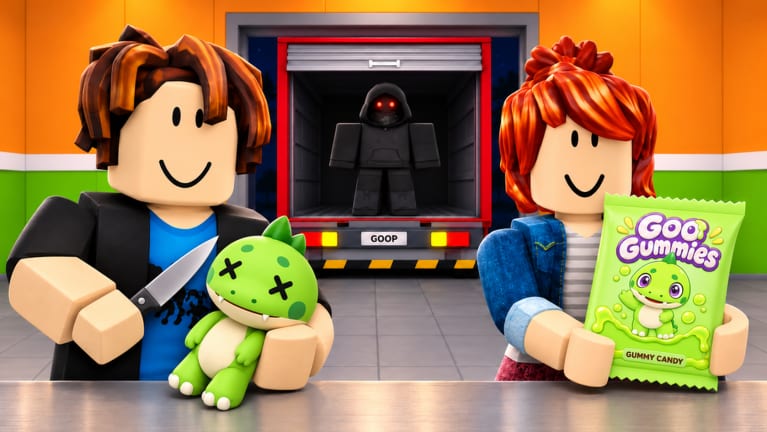
Clean inputs make the Kill Em All factory loop smoother. This controls guide covers PC and mobile defaults, HUD buttons you will use constantly, and quality-of-life habits that prevent lost bodies.
PC defaults (Roblox)
| Action | Typical binding |
|---|---|
| Move | WASD |
| Jump | Space |
| Camera | Mouse |
| Attack / shoot | Left mouse |
| Interact / vacuum pickup | E (or on-screen prompt) |
| Equip weapons / hotbar | 1–9 |
| Open Roblox menu | Esc |
Always confirm bindings in Roblox settings if you remapped keys globally.
Mobile controls
- Virtual joystick for movement
- Thumb buttons for jump and fire
- Tap world prompts for vacuum / unload / Office interactions
- Use the side icon rail for Shop, Codes, and settings
Landscape mode helps when redeeming codes or reading skill trees.
HUD icons you must recognize
- Shop / Codes — promos and purchases (Codes Hub)
- Inventory / weapons — swap before rare spawns
- Upgrade pads — walk-up spenders covered in upgrades
- Objective markers — Office, Key, escape cues (how to escape)
Combat feel tips
- Strafe while shooting to reduce incoming chip damage.
- Reload behind grinders, not in open spawn lanes.
- Keep the camera slightly elevated to spot Golden meshes (golden creatures).
- On controllers, raise look sensitivity until you can flick to rares.
Factory interaction tips
Stand close enough that interact prompts appear instantly. Many “broken vacuum” reports are just distance checks. After interacting, glance at the body trail to confirm movement toward grinders—see factory guide.
Accessibility
- Enable shift-lock if you prefer twin-stick style aiming on PC.
- Increase UI scale on mobile so Codes buttons remain tappable.
- Mute music if audio cues for rares matter more to you than soundtrack.
Practice routine (5 minutes)
- Spawn and open Shop once.
- Kill five commons with hotbar weapon 1.
- Vacuum all five without moving camera to the sky.
- Unload Gummies.
- Buy the cheapest vacuum upgrade available.
That micro-routine embeds the entire game loop into muscle memory better than any tip list. Continue with Getting Started if you are still in hour one.
Related pages
- Weapons guide
- Guides Hub
- Scripts how-to for executor overlays
- Official links
Controls rarely change, but HUD icons do—revisit after big updates.
Controller specifics
On gamepad, map attack to a shoulder you can hold during vacuum walks. Raise deadzone slightly if drift pulls your aim off Golden heads. Toggle shift-lock equivalents if your Roblox client offers them for controllers.
UI scale and color
Increase UI scale until Codes and Shop icons are unmistakable. Colorblind players may need higher contrast settings in Roblox to separate goo green accents from background clutter—especially near neon upgrade pads.
Practice range ideas
Use the first five minutes of every session as a warm-up range: move, shoot, vacuum, unload, open Shop, close Shop. That ritual catches rebinding issues after Roblox client updates before you waste a rare spawn.
Linking controls to progression
Controls fluency is what lets early-game plans succeed. You can memorize tier lists and still fail if interact prompts never fire because you stand too far from bodies. Stay close, stay calm, stay looping.
Full session input checklist
Before a serious farm, confirm:
- Move keys respond without delay
- Fire button does not stick
- Interact prompt appears within one step of a body
- Hotbar 1–4 swap instantly
- Shop opens and closes without freezing
- Camera sensitivity lets you flick to ridge lines for rares
- UI scale shows Codes clearly on your monitor or phone
Run that checklist after every Roblox client update. Input regressions are common and feel like “game bugs” when they are actually binding or UI scale issues.
Coordinating controls in a party
Agree on callouts: “vacuuming”, “unloading”, “Golden north”, “Office”. Voice chat helps, but text macros work. Controls fluency means you can react to a callout without looking at the keyboard legend. Practice with friends using the golden creatures route until swaps are automatic.
Linking to scripts overlays
Executor GUIs add extra buttons on top of Roblox. If your vacuum key stops working after inject, the overlay stole focus. Click back into the game world, or disable overlapping ESP panels. Details live on how to execute scripts.
Final controls reminder
Great aim cannot save a player who never vacuums. Bind your brain to interact after every magazine. That single habit separates stuck beginners from people who finish early-game progression on schedule.
Frequently Asked Questions
Quick answers for Kill Em All factory players.
What key vacuums bodies?
Usually the interact key (E on PC) or a world prompt on mobile. Walk close until the prompt appears.
Can I remap Kill Em All controls?
Use Roblox settings for global keybinds. In-experience buttons may stay fixed.
Does shift-lock help?
Many PC players prefer it for precise shooting at Golden creatures.
Where is the Codes button?
On the left HUD rail inside Shop or as its own icon—see the redeem guide.